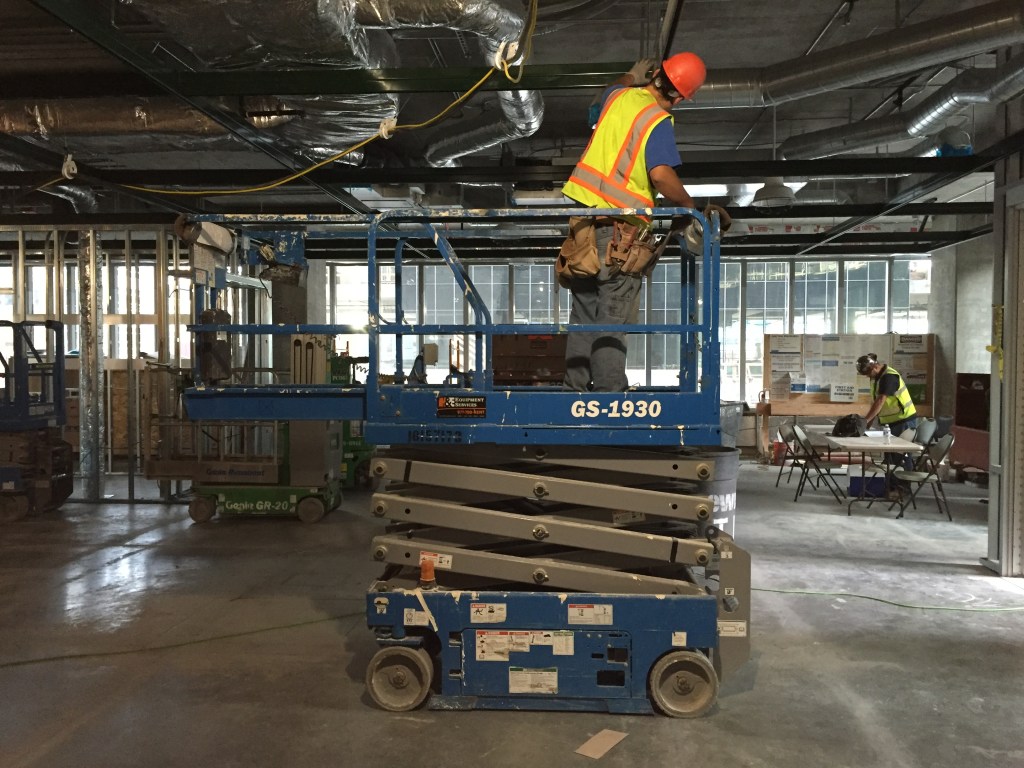
Over the course of this semester I created projects focused on reminding employees why they work safely. Along the way I realized that some people may know why they work safely, but not necessarily how to work safely. For my video I wanted reach that group of employees and provide helpful safety tips to make sure they go home safely every day.
Design Approach
Before starting my storyboard, I had to do some research and determine which five safety tips I was going to share with our employees. I made a list of 7-8 tips and reviewed them with our Safety Director, Steve Brennan, who you met in my audio story. With his direction and feedback, I set to work on my storyboard.
This part of the project was really fun (who doesn’t like to draw?). I designed my film to follow an instructional format. I knew I’d need a lot of title screens to reinforce my voice overs, so I made sure to include those on my storyboard. I then drew the sequences as I envisioned them in my mind. I made sure to apply lessons learned from our readings about shot selections – so I drew different close ups and detail shots.
I reviewed the storyboard one more time to make sure I was on track. My second pass revealed ideas I didn’t think would work so I made further changes. At this time, I established a base for timing; I knew I had 3 minutes and 6-7 sections, so I divided up the time equally.
Check out my storyboard below.
Design Execution
I began executing my design by creating a list of shots required. Since the majority of my scenes take place on active construction sites, I had to plan ahead and reserve time with superintendents and project managers. I also had to pre-plan the still photography I would need to incorporate. Once my shoot schedule was secure, I began creating my graphics and titles based on my storyboard.
I used Adobe Photoshop and Illustrator to create my graphics and titles. I absolutely love how integrated the Creative Suite is – revisions to my graphics were updated immediately in Premiere. I also decided to use content created previously in this course as branding elements in the film which integrated seamlessly.
Since I had all my graphics done prior to shooting any video, I started to build a structure for my film first in Premiere. I placed them all into my timeline to create a 3-minute guide. This approach helped me determine how much video I had to shoot and also provided a guide for my voiceovers.
Finally, it was time to film. I shot all my video and photographs onsite with my iPhone. Again, the storyboard was crucial to the success of my filming. While onsite, I was able to pull this out and explain to my “cast” exactly what I was looking for. This part of the project was really fun and allowed me to collaborate and work with individuals at my company I’m not usually exposed to. In total, I spent a little more than 4 hours shooting video around various jobsites.
Once I had all my visuals acquired, I got back to work in Premiere. Since I already had my framework established (graphics and titles), I had to create 6, 21-second sequences for each safety tip and introduction. I accomplished this by importing my videos and dragging them to the timeline.
I estimate I spent a total of 15 hours editing my first draft of this 3-minute video. As I worked through each segment I seemed to get better and better with the software but I also became more and more critical. Edit, watch, edit, watch – it was a vicious cycle but I enjoyed every minute of it.
You can view my first draft below.
Revision Process
My classmates and professor provided great feedback again. There was consensus around adding background music, updating and extending the duration of my titles, and experimenting with my voice overs. I too had concerns with the pace of the video as there was a ton of content squeezed into 3-minutes.
I began my revisions by selecting appropriate background music. After selecting the music I added it to my timeline in Premiere and began reworking the project to align with the pace of the music. This included streamlining my introduction and removing some clips to make the project smoother and not as hurried with constant cuts.
After reworking my sequences I started to update my titles and graphics. I began with cleaning up my bug and increasing its size. Then, I changed font colors on my titles per the advice of my classmates. Finally, I increased the duration of these titles so my viewer has time to read the tips I’m providing.
The revisions I made really made this video project shine. I’m looking forward to sharing this around my company and helping people work safer.
Take a look at my final video above and let me know what you think!
 Bill Michie
Leave a comment